
Best for:
- DGF Internal applications use. Internal version contains additional fields and code list not available in public Shipment Booking API
- Creating shipment bookings in transport management systems
- Business customers of DHL Global Forwarding
- Air and Ocean Freight shipments
Shipment Booking
NOTE: For DGF Internal application use only. This version of API contains additional fields and code list not available in public Shipment Booking API
Shipment Booking API allows developer to book Air Freight and Ocean Freight shipments in various DHL Global Forwarding transport management systems.
The API accepts the following shipment information:
- Parties
- Origin
- Destination
- Goods Lines & Packages
- Notes & References
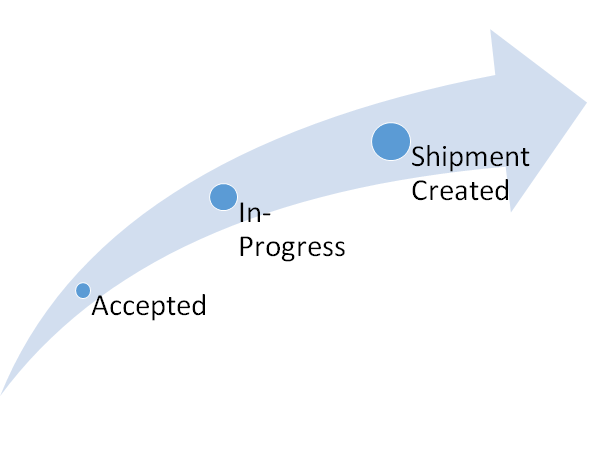
The API returns a unique DGF Booking ID which you can use to check on the status of the booking. We recommend to check the status of the booking at 5 minutes interval. Once shipment is created, you will receive additional information about the shipment e.g. Housebill Number and Shipment ID.
| Booking Status | Descriptions |
|---|---|
| Accepted | Booking data is validated and accepted by the API. Next status is "In-progress". |
| In-progress | Shipment is being processing in system. Next status is "Shipment Created" or "Shipment could not be created" |
| Shipment Created |
Shipment is created successfully. Use the housebill number to track the movement of your shipment using Shipment Tracking API. New feature: If you are subscribed to Timestamp Notification Push API, DHL will automatically notify your API about the latest status of your shipments. |
| Shipment could not be created | Unfortunately shipment could not be created due to data or unexpected issues. Please contact dgf.apisupport@dhl.com for support. |
NEW FEATURE!
Once your request is approved, you are automatically granted access to Timestamp Notification Push API. The API will automatically push notifications about the status of your shipments to your API endpoint. It helps you to keep track of the shipments you created using the Shipment Booking API.
For more information on the Timestamp Notification API, visit https://developer.dhl.com/api-reference/dgf-push-api#get-started-section/overview
Shipment Booking Update
Developers are also able to update their shipment booking with DHL Global Forwarding. Business rule validation applies.
The table below details the timeframe on when a shipment booking update is allowed:(e.g. Updating Notes of a sea shipment, Z42 timestamp should not be populated.)
| Mode of Transport | |||
|---|---|---|---|
| Element | Update Mode | SEA/RAI | Others |
| Consignee | Direct (Priority) | IRP | IRP |
| via Note (Alternate)* | Z42 | n/a | |
| Controlling Agent | Direct | Z42 | IRP |
| Controlling Customer | Direct | Z42 | IRP |
| Delivery Account | via Note | Z42 | IRP |
| Destination Code | via Note | Z42 | IRP |
| Notes | Direct | Z42 | IRP |
| Notify Account | via Note | Z42 | IRP |
| Origin Code | via Note | Z42 | IRP |
| Packing | Direct | Warehouse Upd Received | |
| Pickup Account | via Note | Z42 | IRP |
| Product Code | Direct | FUL 1771 | |
| References | Direct | Z42 | IRP |
| Shipper Account | via Note | Z42 | IRP |
*NOTE:
- For SEA/RAI, alternate mapping of the Consignee Account via Note will take effect if IRP is populated and Z42 is not populated
- Notes Type is unique and can only be used once within the message.
Scope
The API provides access to create shipment bookings in various transport management systems at DHL Global Forwarding.
Using the API
You must have an eligible shipper / consignee account number (DHL Global Forwarding accounts) and a valid oAuth2 access token to use the API.
Once access to the API is requested, please send us an email at dgf.apisupport@dhl.com describing your use case and tell us the name/email address of your DHL contact person. We will verify your identity before granting the access.
For additional information, please contact dgf.apisupport@dhl.com
Get Access
You must request credentials for any applications you develop
To register your app and get your API subscription keys:
- Click My Apps on the portal website.
- Click the + Add App button to create a new app
The “Add App” form appears. - If you wish to add the API to an existing App, click on App's "Edit" button
- Fill in the form
Select "Shipment Booking Internal (DHL Global Forwarding) - Environment: Sandbox - Rate Limit: Standard" from the API drop down list - When you have completed the form, click the Add App button or Save button
- Please email dgf.apisupport@dhl.com for API request approval
Authentication
Shipment Booking API uses oAuth 2.0 protocol to authenticate and authorize access to API consumers. For implementation details, please see Swagger specification on the "Reference Docs" tab.
To view your API credentials :
- From the My Apps screen, click on the name of your app.
The Details screen appears. - If you have access to more than one API, click the name of the relevant API.
Note: The APIs are listed under the “Credentials” section. - Click the Show link below the asterisks that is hiding the Consumer Key.
The Consumer Key appears.
Environments
The addressable API base URL/URI environments are:
| Environment | Description |
| https://api-sandbox.dhl.com/dgff/transportation/shipment-booking | Test environment |
| https://api.dhl.com/dgff/transportation/shipment-booking |
Production environment |
Rate limits
Rate limits protect the DHL infrastructure from suspicious requests that exceed defined thresholds.
The table below details the main request limits:
| Service Level | Maximum calls per minute | Maximum calls per day |
|---|---|---|
|
Standard |
400 per minute | No limit |
Please contact dgf.apisupport@dhl.com if you need a different service level.
When the limit is reached, you will receive an HTTP Status code:
429: Too many requests.
Legal Terms Content. This section is required for customer facing APIs.
Simon Wirges (simon.wirges@dhl.com) is the point of contact for this matter.
1.0.1
- Added additional content
1.0.0
- Initial launch