Sales Invoice Push API enables customers to receive invoice data from DHL Freight.
Best for receiving:
- Sales Invoice
- Credit Notes
- Correction Invoices
With Sales Invoice Push API, you can integrate our invoicing data into your applications.
Get Access
To use the DHL Freight Sales Invoice Push API, your organization requires to have an active customer account with DHL Freight.
I already have a DHL Freight Invoice Account number:
|
|
|
|
|
|
A DHL Freight IT representative in the country of your registration will review your request and will either approve credentials to the API Test environment or contact you for further information if needed |
|
Authentication
Sales Invoice Push API uses oAuth 2.0 protocol to authenticate and authorize access to API consumers.
To view your API credentials :
-
From the My Apps screen, click on the name of our app: DHL Freight Sales Invoice Push Test Product
The Details screen appears. -
If you have access to more than one API, click the name of the relevant API.
-
The APIs are listed under the “Credentials” section. Click the Show link below the asterisks that is hiding the API key & secret.
API Sequence diagram
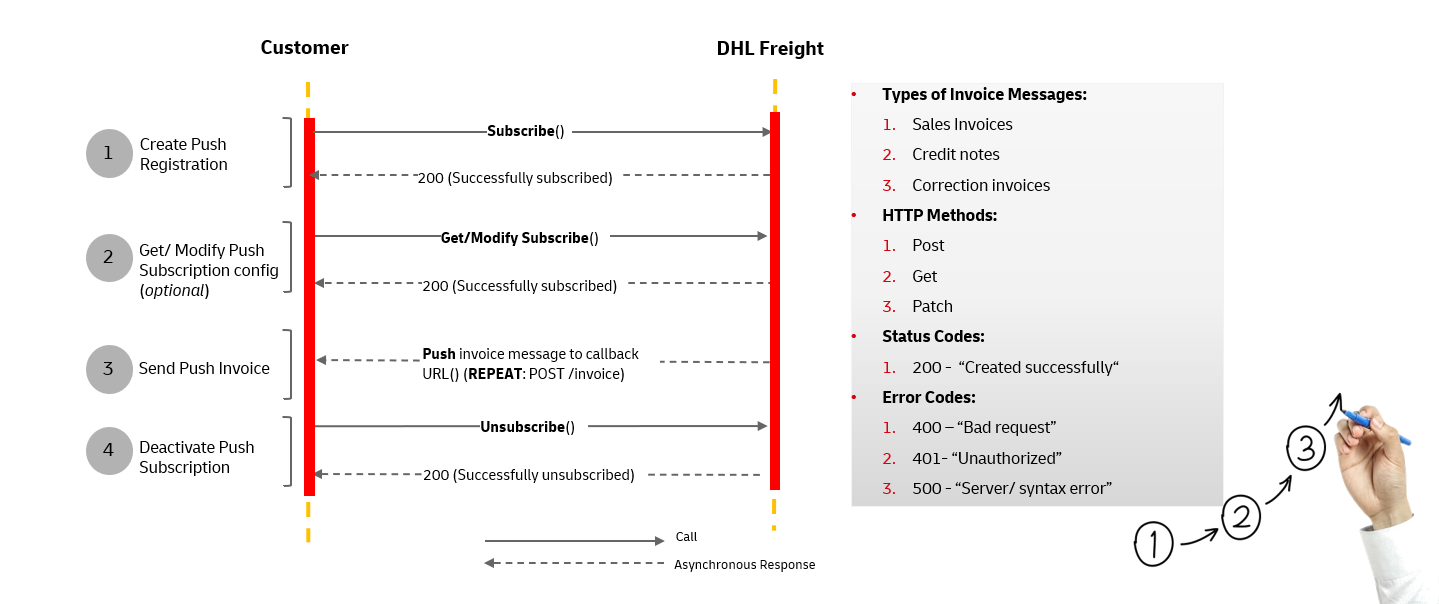
Invoice message branching diagram below:
| Node | Cardinality | Description | ||||
| header | 1..1 | Message Header Details | ||||
| invoice | 1..1 | Invoice Summary Details | ||||
| issuingParty | 1..1 | Issuing Branch Details | ||||
| customer | 1..1 | Customer Details | ||||
| billToParty | 1..1 | Bill To Party Details | ||||
| billToPostalParty | 1..1 | Bill To Postal Party Details | ||||
| VAT | 1..n | VAT Details | ||||
| items | 1..n | Shipment Details Group | ||||
| shipper | 0..1 | Shipper Details | ||||
| carrier | 0..1 | Carrier Details | ||||
| pickup | 0..1 | Pickup Details | ||||
| deliver | 0..1 | Delivery Details | ||||
| service | 1..n | Service Details Group | ||||
IMPORTANT INFORMATIONA complete message implementation guide is available in Downloads. |
Postman is a collaboration platform for API development and testing. DHL Freight Sales Invoice Push API postman collection helps you to get started quickly on your integration.
If you are new to postman, you can download application here.
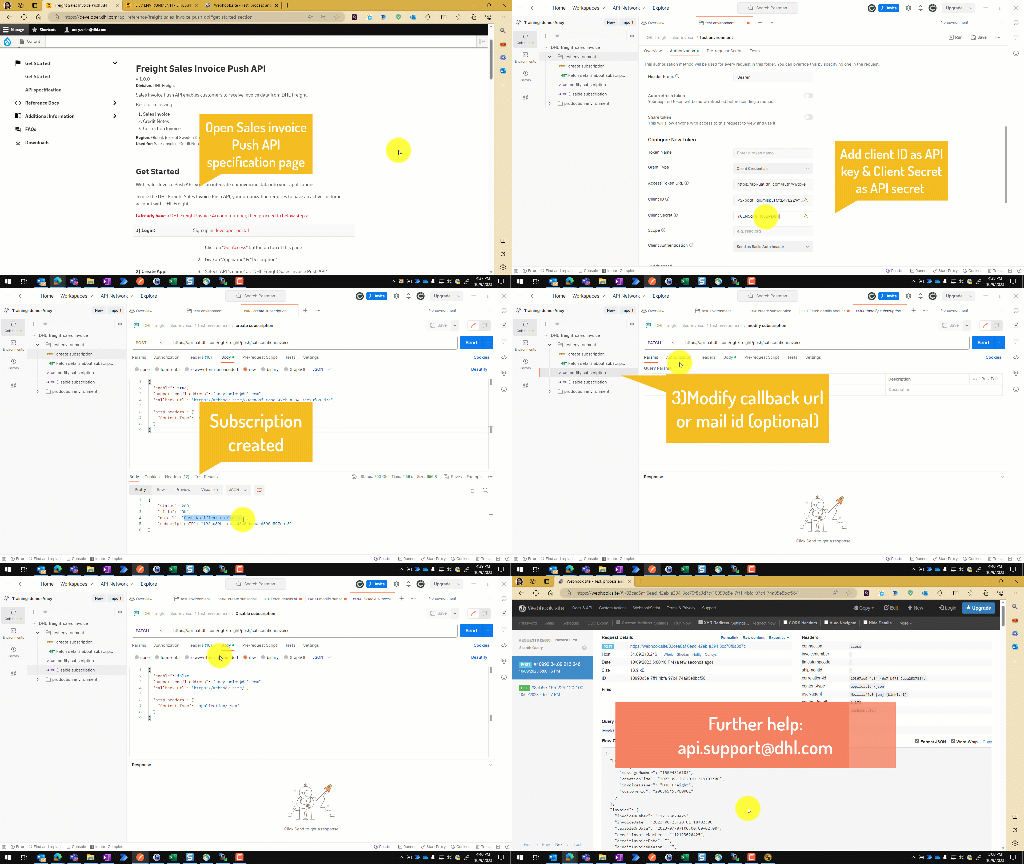
IMPORTANT INFORMATIONYou can import our postman collection from Downloads. |
Developer requires to create APP with our API name: "DHL Freight Sales Invoice Push API" and wait for the approval.
| 200= | "Push Notification Created", |
| 200= | "Push Notification Updated(Disabled)", |
| 200= | "Push Notification Updated(Enabled)", |
| 400= | "Subscription already exists", |
| 500= | "Internal Server Error" |
Once UAT and regression testing signed off, customer integration IT team will assist you in releasing solution to production.
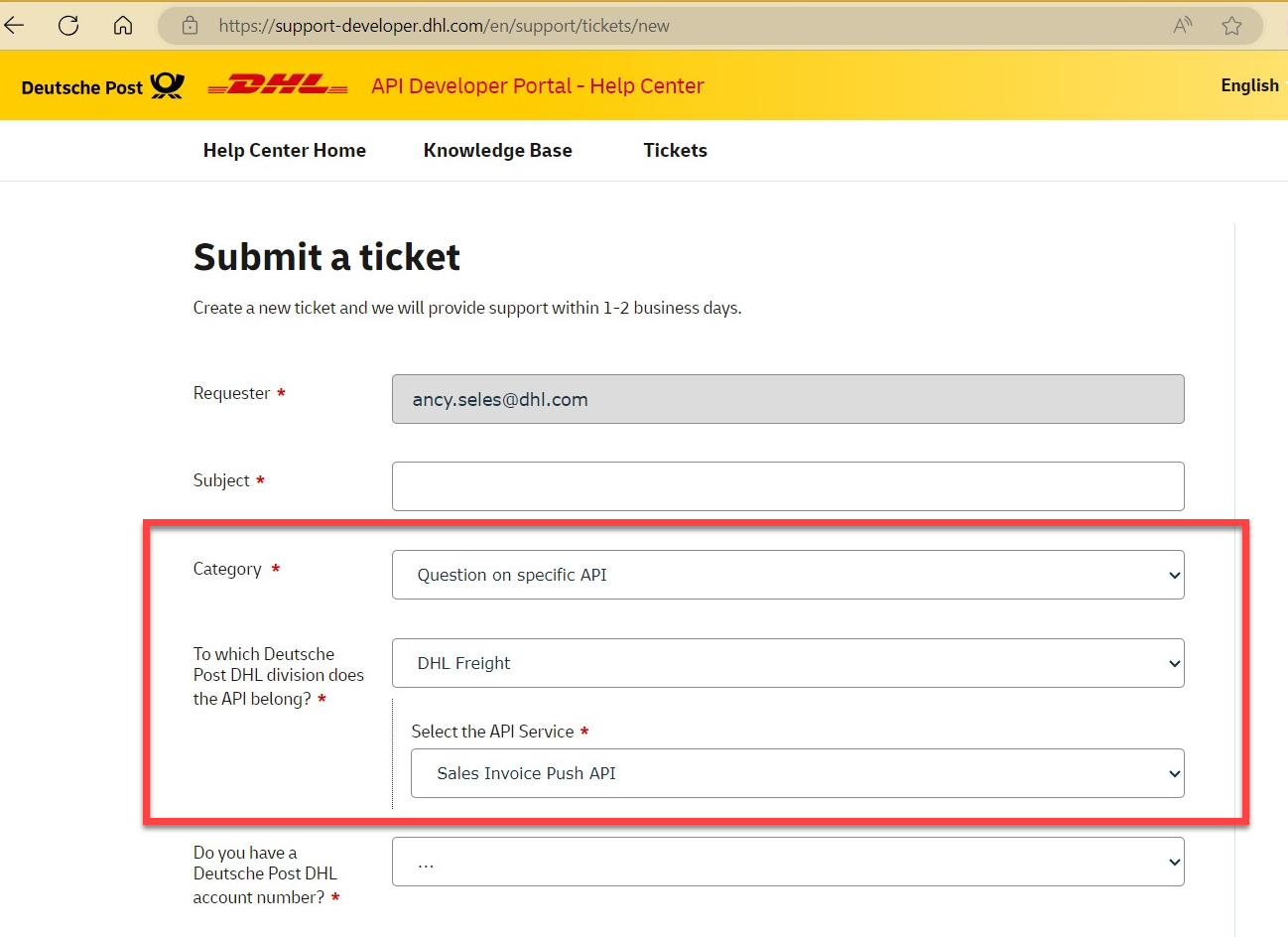
Indeed, please navigate to our help center: https://support-developer.dhl.com/en/support/tickets/new